

DBDesign #6 - Explain query with table joins
Join queries in SQL can become costly if not optimized well. We'll look at how we can leverage explain query to analyse their performance.

We’ve come to our final post of the DB Design series.
We’ve covered a lot of ground with database design concepts and looked at how we can analyse the performance of our queries using explain and analyze queries.
In this article, we’ll look at how explain and analyze can be used to optimize table join queries.
Table joins
Most relational database models will involve join queries to fetch data from two related tables. These join queries might be costly operations if the DB model is not optimized.
Let us look at an example of a table join query of two tables, Employees and Offices.
In the previous post, we downloaded a MySQL dump for our practice. We’re using two tables from that. The structure of the two tables are shown below.
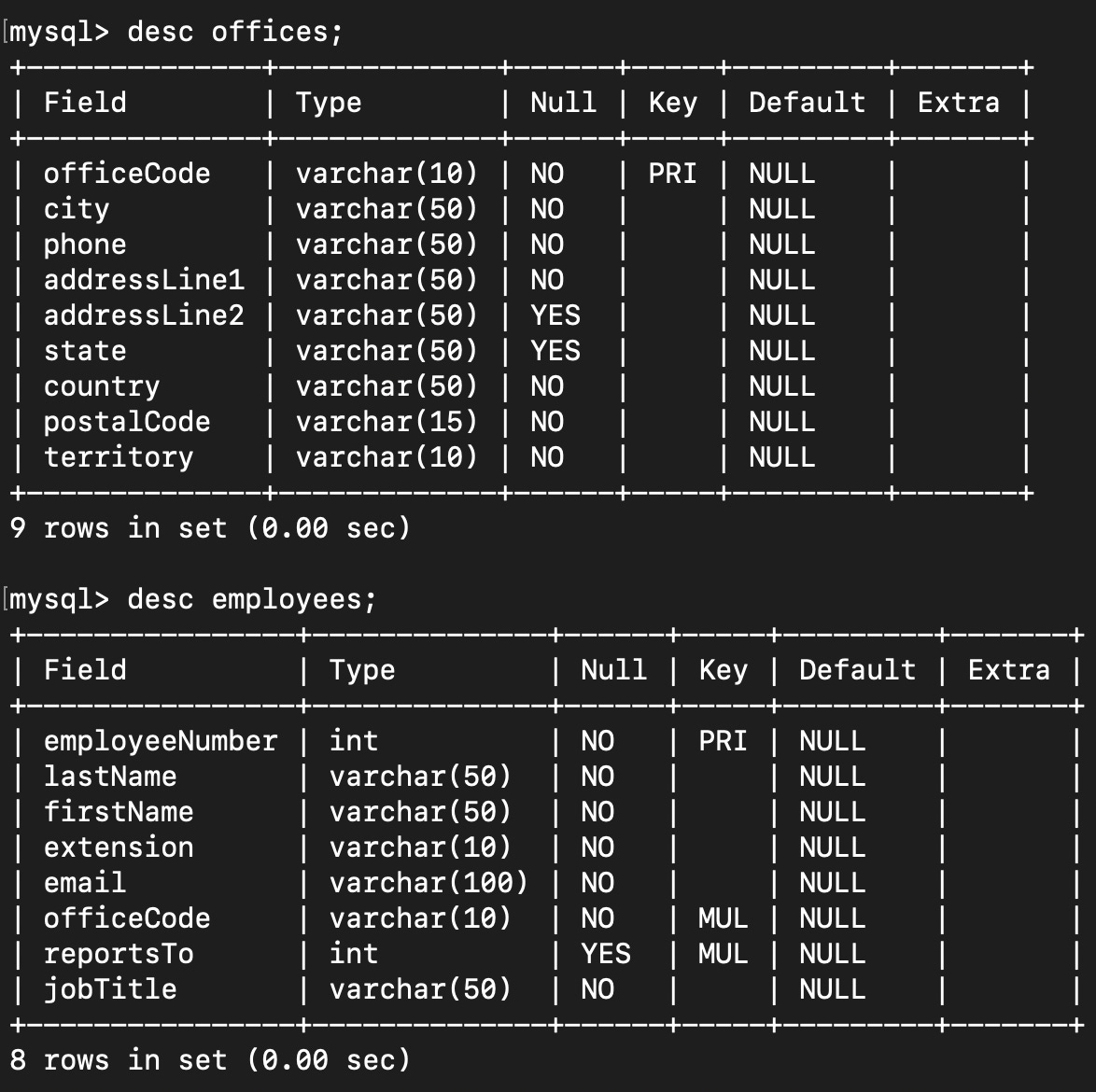
Both these tables are related by officeCode, which is a Foreign key (FK).
Let’s write a simple join query to fetch all details from these tables
SELECT * FROM employees INNER JOIN offices ON employees.officeCode = offices.officeCode;This query fetches all rows from the Employees and Offices tables. Let us see the performance of this query.
EXPLAIN SELECT * FROM employees INNER JOIN offices ON employees.officeCode = offices.officeCode;
Our Employees table has a total of 23 rows and every employees must have an officeCode associated with them.
But if you check the performance result, we see that the number of rows scanned for Employees table is only 3, because of the use of the indexed key ‘officeCode’.
If we construct a join query with a non-indexed relation, then the number of rows scanned will be higher.
Usually, the total number of rows scanned will be calculated by multiplying all the values in “rows” column in the explain query result.
Analyze query
Let us see the same query with an additional criteria for fetching employees with officeCode as “7”.
EXPLAIN ANALYZE SELECT * FROM employees INNER JOIN offices ON employees.officeCode = offices.officeCode WHERE offices.officeCode = 7;The provides the following result.
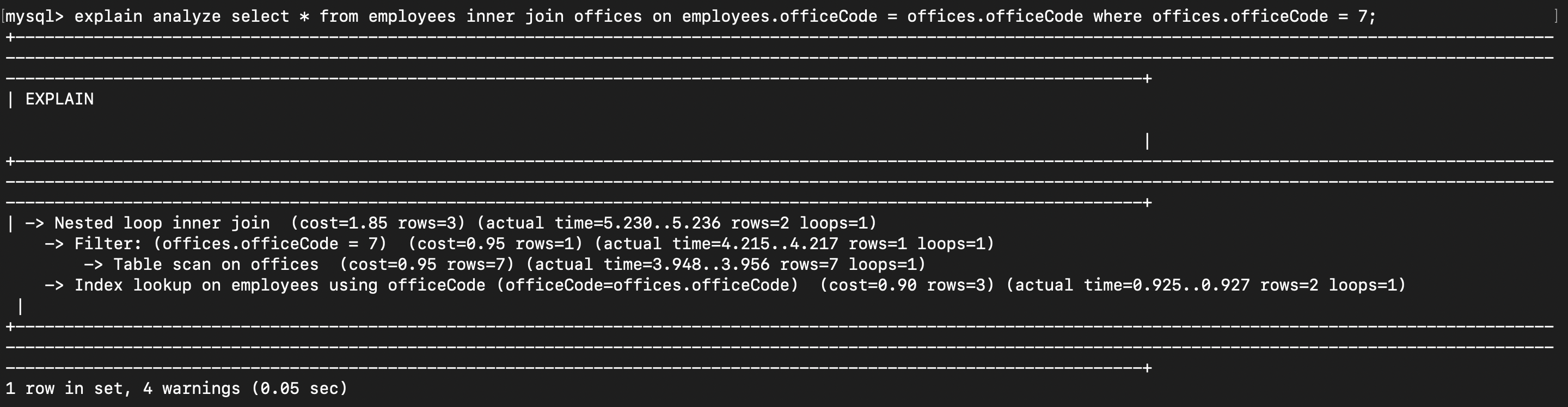
As an exercise, check how the same query performs if the table is joined with a non-index relation.
Understand SQL better
I hope you have a better understanding of many aspects in SQL now. To familiarize yourself with DB modelling and SQL query optimization, keep playing around with tables and queries.
Every time you face an issue or stuck with a problem, you will try to find a solution and learn from it.
That’s the secret to getting better at anything in life!
Let me know if there is anything I’ve missed to cover in this series, I promise to come up with a post for that.
Until next time!